Southlove Script: Elevating Design with Elegant Calligraphy
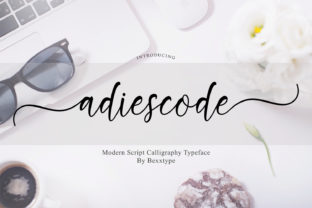
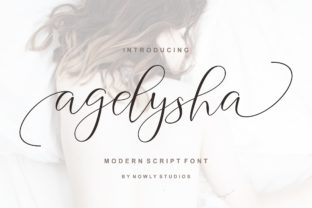
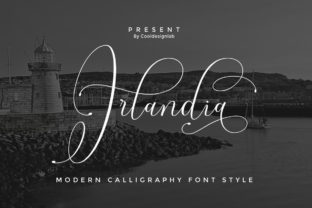
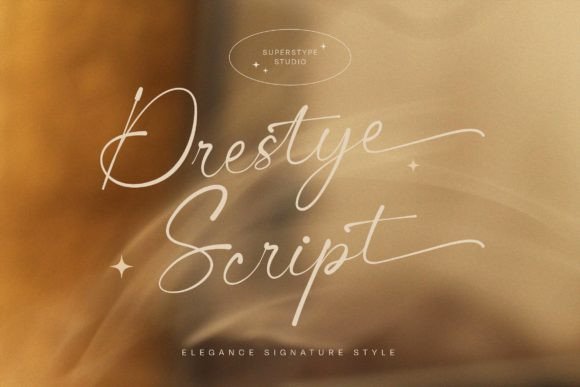
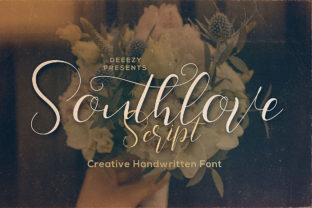
Southlove Script is more than just a font—it's an artistic expression that brings a touch of sophistication to any design. With its thin lines and dynamic baseline, it offers a unique blend of elegance and movement, making it ideal for those who want to add a luxurious feel to their projects. Whether you're a designer, marketer, or content creator, understanding the nuances of Southlove Script can help you avoid common pitfalls and unlock its full potential.
Why Southlove Script Appeals to Designers
Southlove Script stands out due to its graceful curves and fluidity. Its thin strokes create a delicate appearance, while the dancing baseline adds character and visual interest. This makes it particularly well-suited for branding, invitations, logos, and other design elements where a refined aesthetic is desired. Many professionals choose this script because it conveys both professionalism and creativity in one seamless package.
However, not everyone understands how to use it effectively. Let’s explore some common mistakes and how to avoid them.
Mistake 1: Using It for All Text Without Consideration
A frequent error is applying Southlove Script to large blocks of text. While the font is beautiful, its intricate details can become difficult to read when used extensively. This can lead to poor readability and a less professional appearance.
Better Approach: Reserve Southlove Script for headings, logos, or short phrases. Use it sparingly to maintain clarity and ensure your message remains easy to understand.
Mistake 2: Ignoring Font Pairing Principles
Many users fail to consider how Southlove Script interacts with other fonts. Pairing it with a sans-serif or serif font can enhance legibility and balance, but pairing it with another script font might result in a cluttered look.
Better Approach: Experiment with contrasting fonts. A clean sans-serif like Helvetica or Arial can provide a strong counterpoint to the flowing lines of Southlove Script, creating a visually appealing composition.
Mistake 3: Overlooking Licensing Restrictions
Before downloading or using Southlove Script, it's crucial to check the licensing terms. Some fonts are free for personal use but require purchase for commercial applications. Failing to comply with these terms can lead to legal issues or unexpected costs.
Better Approach: Always review the license agreement before using any font. If you're unsure, reach out to the font provider for clarification or invest in a premium version that includes commercial rights.
How to Choose the Right Version of Southlove Script
Southlove Script may come in multiple versions, such as standard, bold, or extended characters. Choosing the right variant depends on your specific needs.
- Standard: Ideal for general use and most design projects.
- Bold: Offers more contrast and is suitable for headlines or larger text.
- Extended: Includes additional glyphs and characters, which is useful for multilingual projects or specialized typography.
Always evaluate your project requirements before selecting a version. This ensures you get the best results without unnecessary complications.
Mistake 4: Not Checking for Character Coverage
Sometimes, designers overlook whether the font supports all the characters they need. For instance, if you're working on a project involving special symbols or non-English characters, you might find that Southlove Script doesn’t include them.
Better Approach: Review the font's character set before finalizing your design. If needed, opt for a version that includes extended language support or use a complementary font for missing characters.
Practical Tips for Working with Southlove Script
To make the most of Southlove Script, consider these practical tips:
- Adjust Kerning: The spacing between letters in script fonts can vary significantly. Take time to adjust kerning manually for better alignment.
- Use Appropriate Line Heights: Script fonts often benefit from slightly increased line heights to prevent text from appearing cramped.
- Test on Different Devices: How Southlove Script appears on a screen can differ from how it looks in print. Always test your designs across various platforms.
These small adjustments can have a big impact on the overall quality and professionalism of your work.
Mistake 5: Assuming It Works Well in All Formats
Some users assume that Southlove Script will render perfectly across all formats, including web, print, and digital media. However, font compatibility can be an issue, especially when embedding it into websites or mobile apps.
Better Approach: Always verify that the font works correctly in your intended format. Convert it to web-safe formats like WOFF or TTF if necessary, and test it thoroughly before deployment.
Final Thoughts on Using Southlove Script
Southlove Script is a powerful tool for adding elegance and sophistication to your designs. By avoiding common mistakes and following best practices, you can ensure that your work stands out in a positive way. Whether you're a beginner or a seasoned professional, taking the time to understand how to use this font effectively can greatly enhance your creative output.
Remember, the goal is not just to use Southlove Script, but to use it wisely. With careful consideration and attention to detail, you can create stunning designs that reflect both your creativity and professionalism.